 LUXDrive
Enterprise cloud drive for BIM / CAD teams
Large drawings, one shared drive,
no overwritten work.
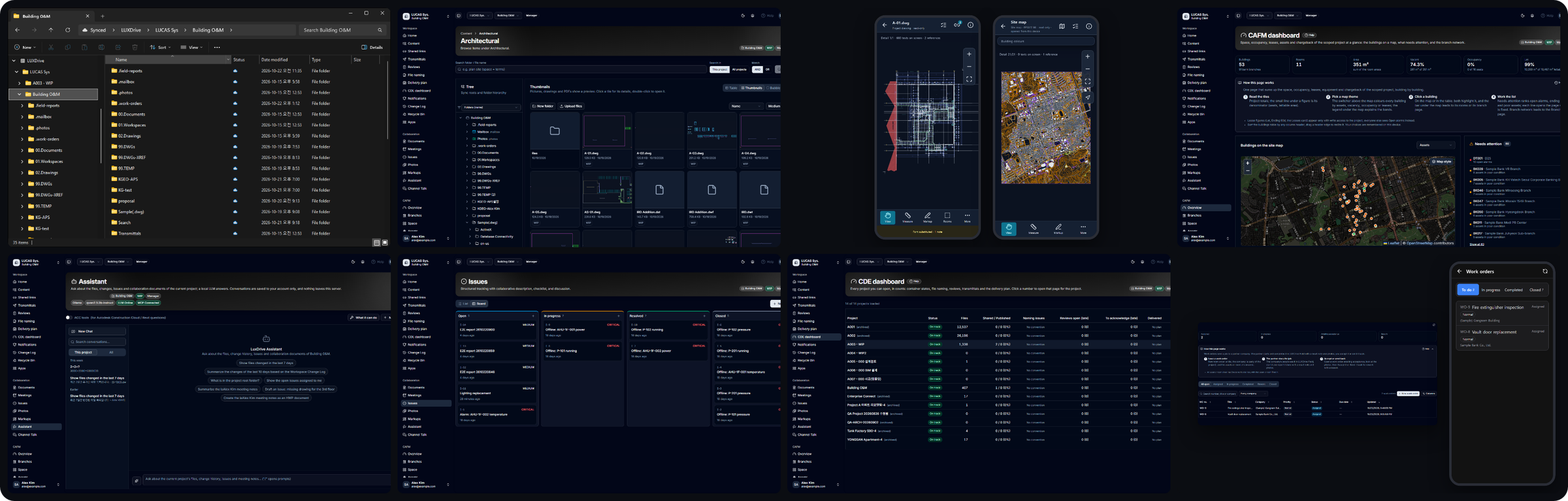
LUXDrive puts every project file in Windows Explorer as a drive with files on demand, locks files while someone works on them, keeps every version, and opens DWG, PDF and photos in the browser.
Hosted plans from $29 per month · perpetual on-premises licenses available · cancel anytime.
Why teams switch
Built for files that are too big and too important for a generic drive
Generic sync tools mirror whole folders, break on 2 GB models and know nothing about locking. LUXDrive was built around how construction and engineering teams actually work.
A drive in Windows Explorer
Project files appear as a normal drive. Files download when opened and free their space when not needed; status icons show what is synced, pinned or locked.
File locking that teams respect
Lock a DWG, RVT or spreadsheet while you work; everyone else sees who has it and since when. No more "who overwrote my file".
Every version, kept
Each save is a version on the server. Compare drawing versions, restore any of them, and recover deleted files from the Recycle Bin.
Drawings in the browser
DWG and DXF open in the viewer with sheets, xrefs, hatches and PDF export, and in a mobile viewer that keeps site maps on the device.
Collaboration around the file
Markups, issues, photos by day and on a map, channel talk and meeting notes live next to the files they are about.
Enterprise controls
SSO and SCIM, folder permissions, external share links with policies, audit log, ISO 19650 container states and transmittals.
Beyond the drive
One place for the project, from design to operations
ISO 19650 CDE
Container states (WIP, Shared, Published, Archived), naming conventions, reviews, transmittals and a delivery plan, all on the same files.
Facility management
Spaces, assets, leases, work orders, chargebacks and reports for the building after hand-over, linked to the drawings it was built from.
Integrations and API
Outlook add-in, LUXConnector bulk uploads, Autodesk ACC, webhooks and a public REST API with SDKs for TypeScript, Python and .NET.
Try it with your own drawings
Create a workspace in two minutes. The first 14 days are free; no card is charged until the trial ends.